 Clearly
A cleaner iPhone, honestly.
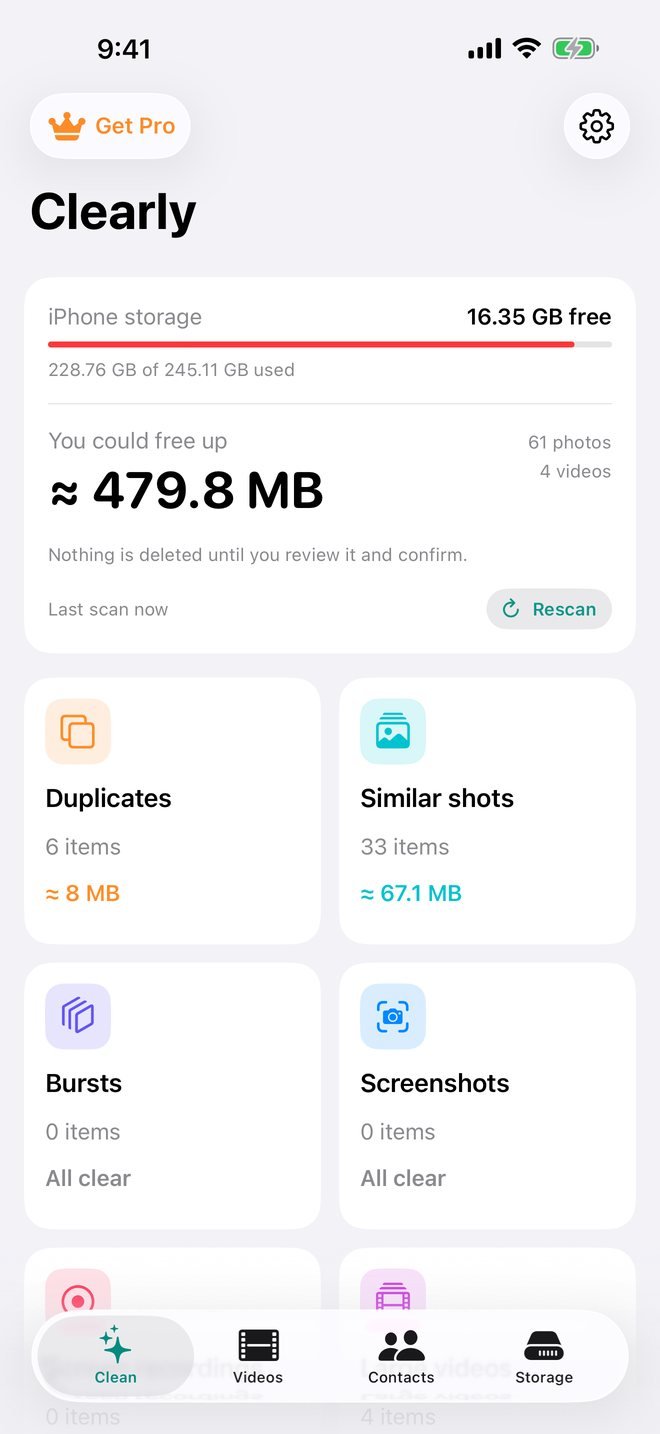
Clearly finds duplicate and similar photos, oversized videos and duplicate contacts. It keeps your best shots and lets you decide what goes. Everything runs on your iPhone.
Free to scan. Your first 10 cleanups are free. Requires iOS 17 or later.
- Runs on your iPhone
- No uploads, no tracking
- 30-day undo via Recently Deleted
- Prices shown before you pay
Real cleanup tools. No gimmicks.
Every feature does what it says. No fake "junk" counters, no virus warnings, no promises iOS won't let any app keep.
Similar shots
Groups photos of the same moment and suggests keeping the sharpest, best-composed one, picked with Apple's on-device image analysis.
Duplicates
Finds exact copies anywhere in your library, even ones saved months apart, and keeps one.
Video compressor
Keep your videos and get most of the space back. Shows the new size before you start and keeps the date, place and albums.
Bursts & screenshots
Keep the best frame of every burst. Review old screenshots and screen recordings by age.
Live Photos to stills
Turn Live Photos into regular photos and drop the motion part you never watch.
Duplicate contacts
Merge cards with the same name, number or email into one, keeping every number and address.
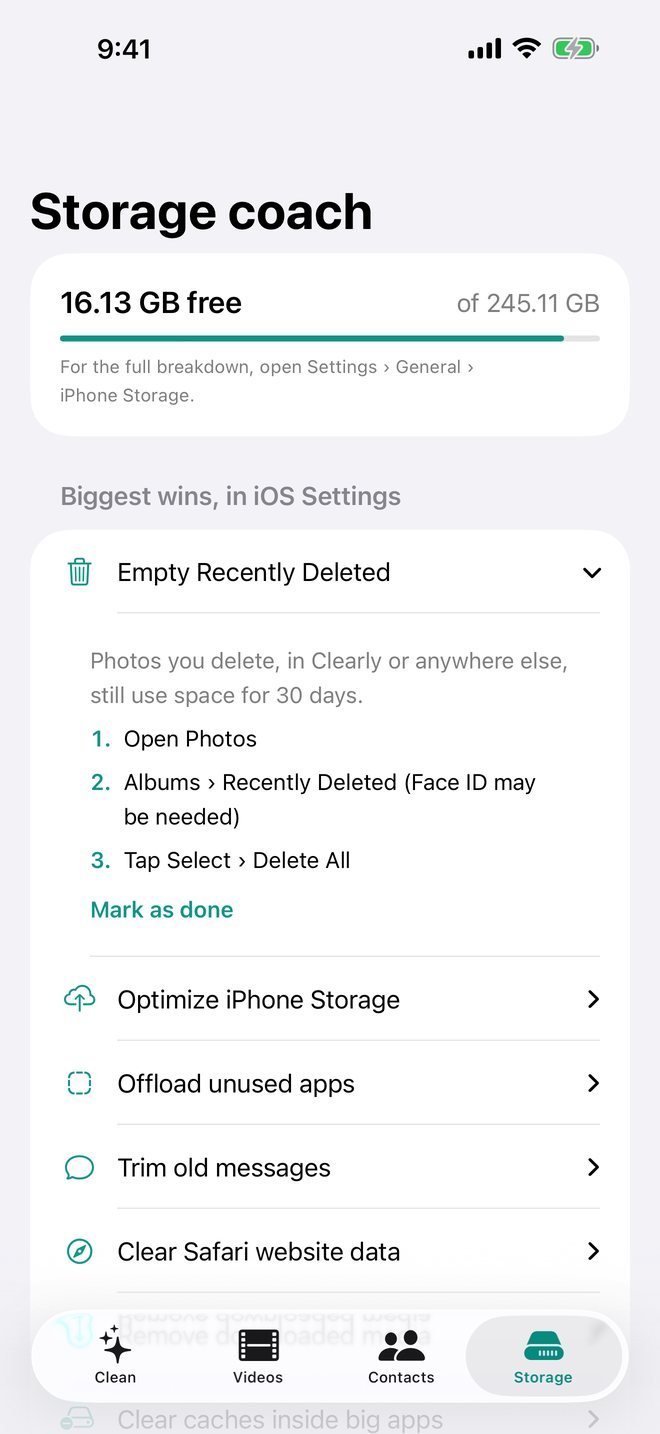
Storage coach
Step-by-step fixes that use iOS's own settings: Recently Deleted, Optimize Storage, Messages, Safari and more.
Instant re-open
Your last scan opens instantly and shows how many new photos have arrived since. Rescan whenever you like.
You stay in control
Nothing is deleted until you confirm. iOS shows its own prompt, and items stay in Recently Deleted for 30 days.
Keep the best one. Clear the rest.
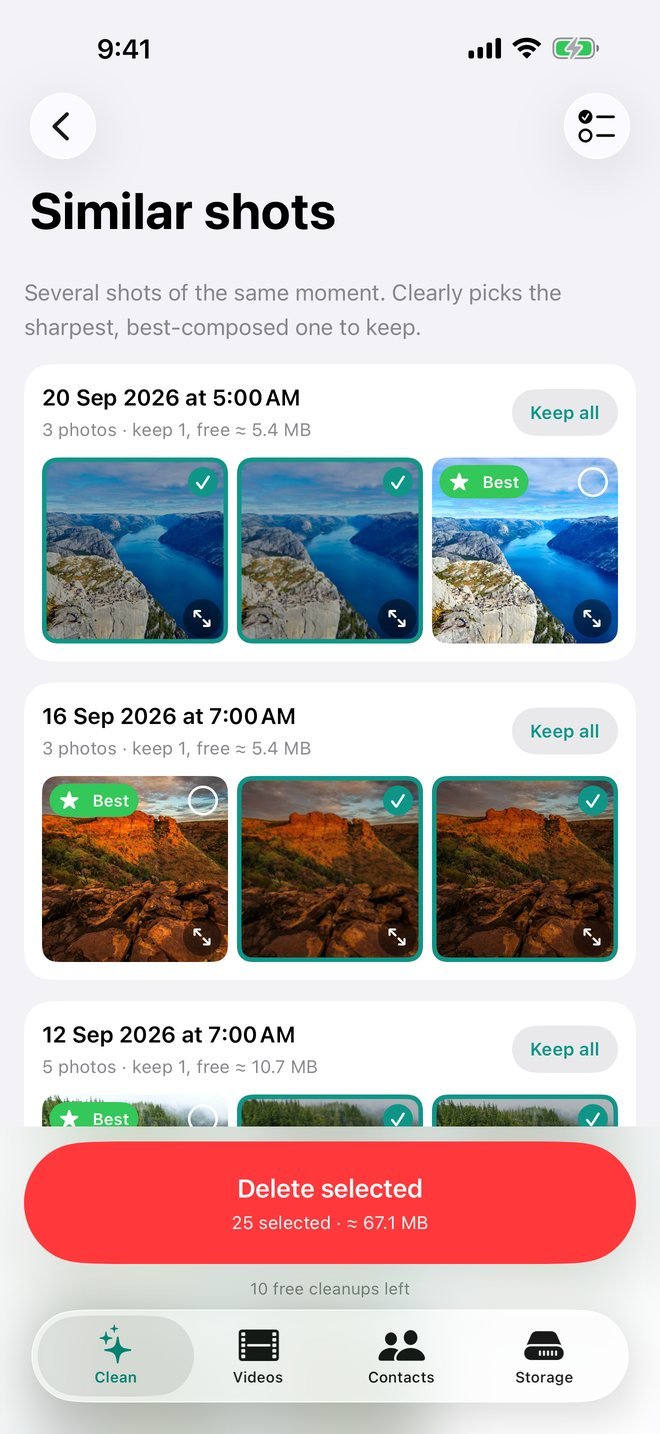
Took eight photos to get one good one? Clearly groups them and marks the keeper, weighing sharpness, faces and composition, plus your favourites and burst picks.
- The best shot is never pre-selected for deletion
- Preview any photo full-size before deciding
- See exactly how much space each group frees
Shrink videos instead of deleting them.
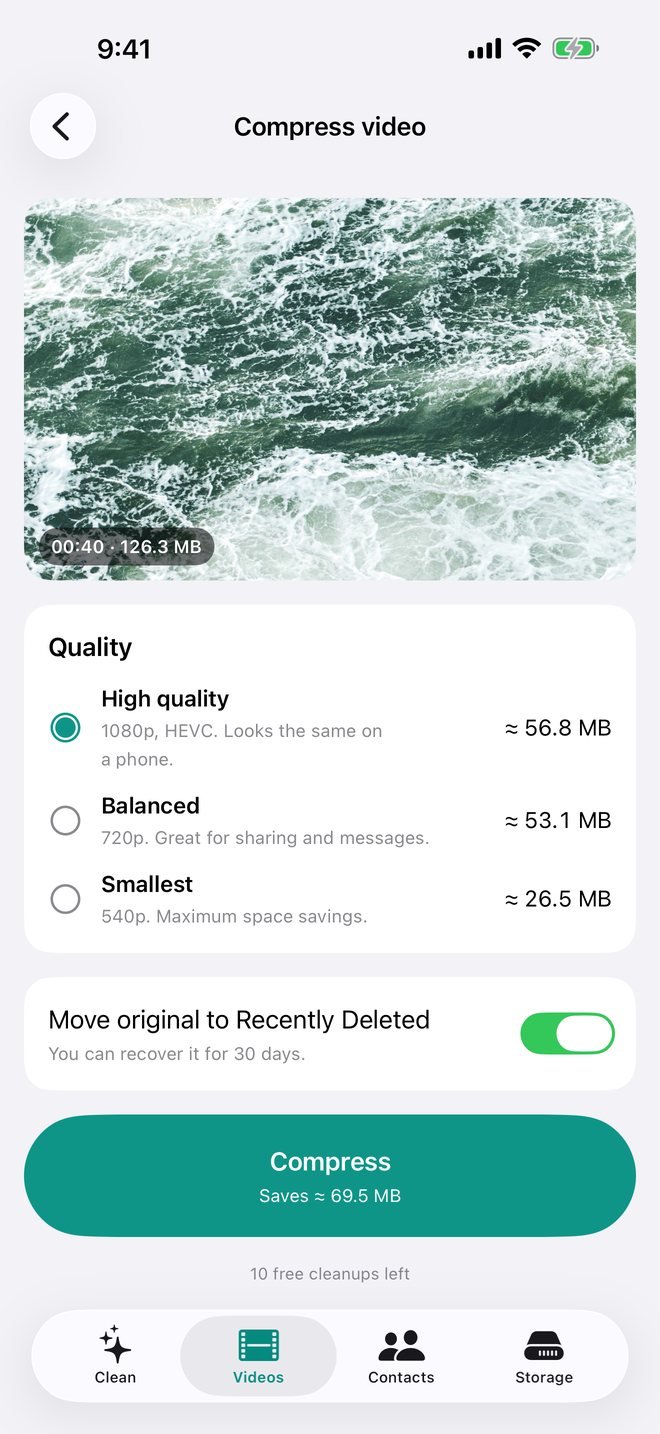
4K videos take up a lot of room. Clearly saves a smaller copy that looks the same on your phone, and shows the size before it starts.
- Three quality levels, each with the expected size
- Keeps the original date, location, favourite and albums
- Won't save a copy unless it's actually smaller
Real fixes, not fake alarms.
Photos aren't the only thing filling your iPhone. The Storage coach walks you through the iOS settings that actually free space, step by step.
- Recently Deleted, Optimize Storage, Messages, Safari and more
- Mark steps as done and track your progress
- Honest about what no app can do, like clearing System Data
Three steps. No surprises.
Scan, free
Clearly scans your library on your iPhone and shows how much space you could free in each category.
Review
Look through every group and list. Suggestions are marked, the best shots are protected, and you can change anything.
Confirm
iOS asks you to confirm. Deleted items go to Recently Deleted, so you can undo for 30 days.
Built to be trusted.
Many cleaner apps rely on fake alarms and confusing prices. Clearly is built the other way around.
Everything stays on your iPhone
Photos, videos and contacts are analysed on your device with Apple's frameworks. Clearly has no servers and no accounts.
No scare screens
No "your phone is infected", no fake junk meters, no countdown timers. Just real numbers from your own library.
No ads, no tracking
No analytics SDKs, no advertising IDs, no data collection. The App Store privacy label says "Data Not Collected".
Honest about limits
No app can clear iOS "System Data" or other apps' caches. Clearly says so, and shows you what actually helps.
Try it free. Pay only if it helps.
Scanning and reviewing are always free, and your first 10 cleanups are on us. Clearly Pro unlocks unlimited cleaning.
Weekly
3-day free trial for new subscribers. Cancel anytime.
- Every Pro feature
- Renews weekly until cancelled
Monthly
About a third less than paying weekly.
- Every Pro feature
- Renews monthly until cancelled
Lifetime
Pay once. No subscription.
- Every Pro feature, forever
- Restore on any of your devices
Prices in US dollars; the App Store shows the price in your local currency before you buy. Subscriptions are billed through your Apple Account and renew automatically unless cancelled at least 24 hours before the end of the period. Manage or cancel any time in Settings › [your name] › Subscriptions.
Frequently asked
I deleted photos but my storage didn't change. Why?
iOS keeps deleted items in Recently Deleted for 30 days so you can change your mind. To get the space back right away, open Photos › Albums › Recently Deleted and tap Delete All.
Can Clearly clear "System Data"?
No, and neither can any other App Store app. iOS doesn't allow it. System Data is caches, logs and temporary files that iOS manages itself. Restarting your iPhone and updating iOS are what usually help. Clearly's Storage coach walks you through it.
Are my photos uploaded anywhere?
No. All analysis happens on your iPhone using Apple's built-in frameworks. Clearly has no servers and collects no data.
How does Clearly pick the best photo?
It combines Apple's on-device image quality and aesthetics analysis, face quality, sharpness, and your own signals such as favourites, edits and burst picks. You can always choose differently.
I use iCloud Photos. What happens when I delete?
Just like in the Photos app, deletions sync to all your devices. Deleted items stay in Recently Deleted for 30 days everywhere.
How do I cancel my subscription?
Open Settings › [your name] › Subscriptions › Clearly Pro, or tap Manage subscription in Clearly's settings. Cancel at least 24 hours before the renewal date to avoid being charged again.
I bought Pro. How do I get it on a new iPhone?
Sign in with the same Apple Account, open Clearly › Settings, and tap Restore purchases.
Get your space back, honestly.
Free to scan. See exactly what you can clear before you pay anything.
Download on theApp Store